 Personal Info Scrubber
The problem it solves
Logs, error messages and support tickets are full of other people's details: a customer's email, a phone number, an IP address, sometimes worse. When you need help from ChatGPT, a vendor or a public bug tracker, all of that goes along for the ride unless you clean it out by hand. And by hand, you miss things.
Personal Info Scrubber does the find-and-replace for you, right on your clipboard. You copy as usual, double-click one file, and paste. What lands is the cleaned version.
How it works
- Choose what to remove. Tick the categories you want: Social Security numbers, email addresses, credit card numbers, phone numbers and IP addresses. You can add a pattern of your own too.
- Try it on the page. Paste some text into the live preview, or click Use example text. It shows exactly what would be removed and changes nothing on your clipboard.
- Download the scrubber. You get one small file, PersonalInfoScrubber.cmd, with your choices built in.
- Copy, double-click, paste. Copy the text you want to clean, double-click the file, then paste anywhere. A small summary tells you how many items were removed.
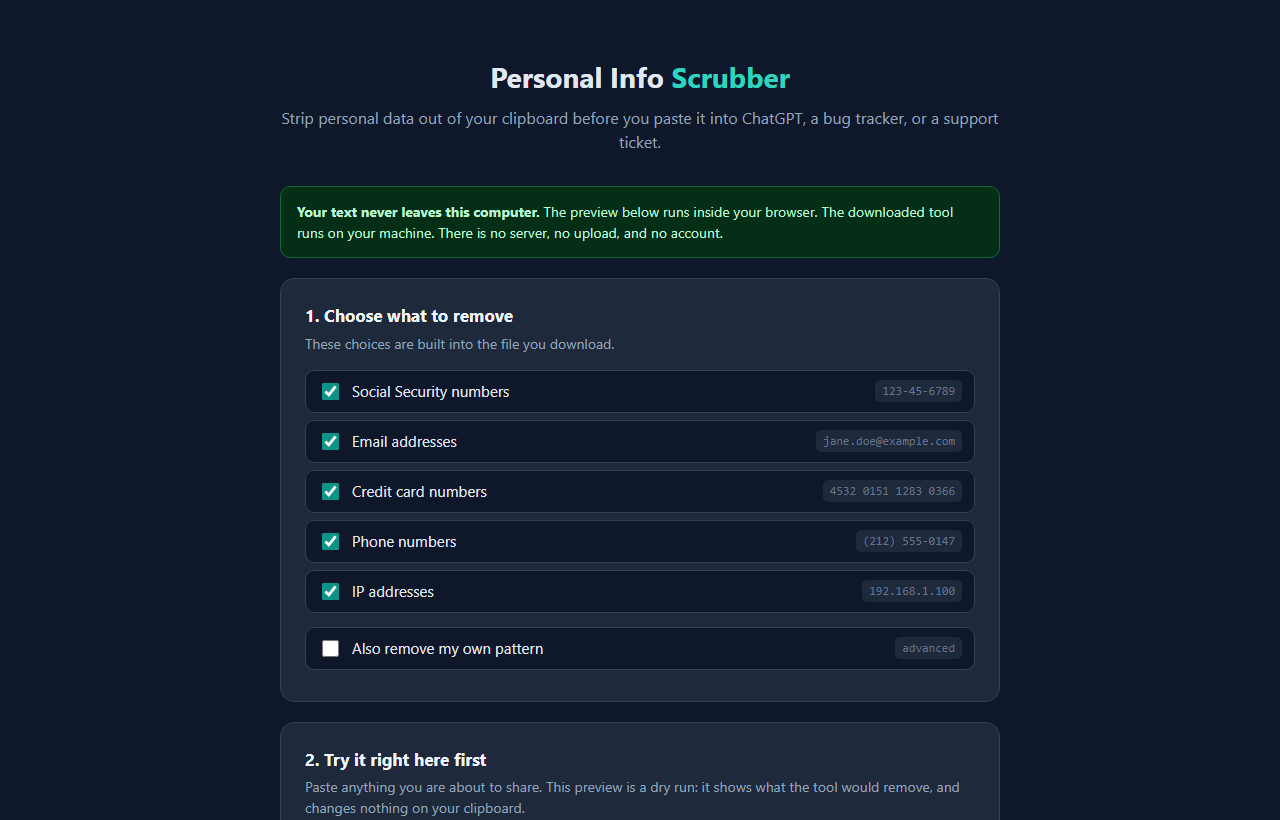
What it looks for
Each match is swapped for a plain label, so the text still makes sense to whoever reads it. For example, [email protected] becomes [EMAIL-REDACTED] and (212) 555-0147 becomes [PHONE-REDACTED].
Credit card numbers are checked against the checksum built into every real card number, so a long order number usually gets left alone. The built-in patterns cover common US-style formats. Names, street addresses and non-US phone formats are not detected, which is what the custom pattern is for.
It leans toward removing too much rather than too little. A version number like 1.2.3.4 looks exactly like an IP address, so it gets removed. That's the safer mistake for a privacy tool. Still, read the cleaned text before you share it. This is a strong first pass, not a guarantee.
About the Windows warning
Because the file is free and unsigned, your browser may say it "isn't commonly downloaded" (choose Keep), and Windows may show a blue "Windows protected your PC" box. Click More info, then Run anyway.
Still nervous? Good, that's healthy. The file is plain text. Open it in Notepad and read it. It reads your clipboard, does some find-and-replace, and writes your clipboard back. There's nothing in it that contacts the internet.
Why I ask for your email
The sign-up unlocks the tool in this browser. You only do it once per browser.
It has nothing to do with your text. The preview runs inside your browser, and the downloaded tool runs on your own PC. There's no server, no upload, and no account. The summary it shows you has counts only, never the information it removed.
I might send you a note now and then about other free tools I build. I will never sell or give your email to anyone else.
Questions people ask
Is it really free?
Yes. Nothing to buy, nothing to install, and it doesn't need administrator rights.
Does it work on a Mac or a phone?
The live preview on the page works in any browser. The clipboard tool you download runs on Windows PCs only.
Can I get my original text back?
No. The tool replaces what's on your clipboard. If the text came from a file or message you still have, go back and copy it again.
It said my clipboard was empty, but I copied something.
It works on text. Copying a file in File Explorer or copying a picture doesn't put text on the clipboard. Open the file, select the text, press Ctrl+C, and run it again.
Do I need to download it again each time?
No. Keep the file and run it as often as you like. Only download again if you want to change which categories it removes or edit your own pattern.